ThreeJS Introduction
ThreeJS#
- HTML5 3D Animation Engine
- 3D JavaScript library
- WebGL-based
- Full scene graph, sprites, meshes, LOD, camera, shaders, animations
- Ideal for any 3D scene incorporated into a web page
Links#
Architecture#
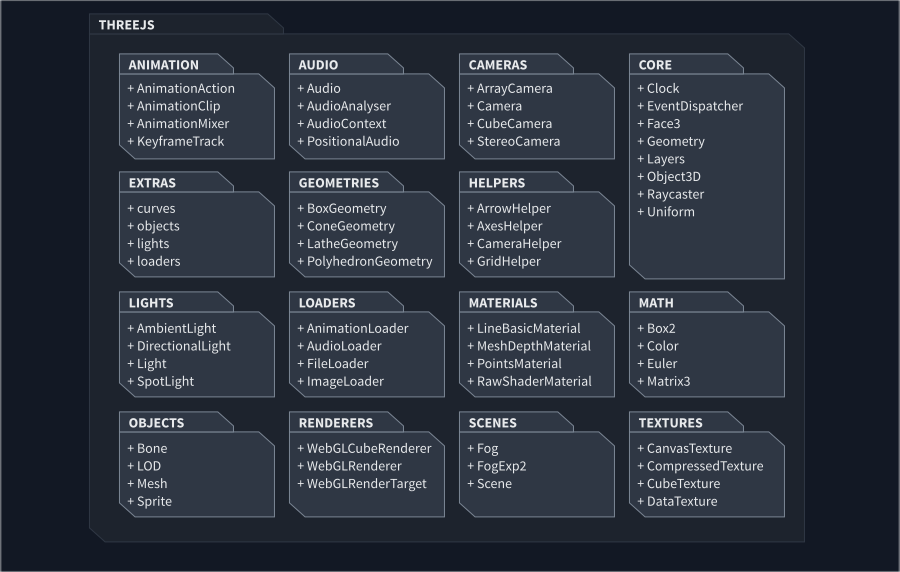
Namespaces#
- this is just a subset, there are over 600 classes
DisplayEntities#
- EventDispatcher - parent of all displayable classes, implements event-based system
- Object3D - base class for 3D objects
- Audio - non-positional audio object
- Bone - bone which is part of a Skeleton
- Sprite - a plane that always faces towards the camera
- Camera - abstract class for all cameras
- CubeCamera - a group of 6 cameras that render to a WebGLCubeRenderTarget
- Group - adds ability to properly work with groups
- Points - 3D points in space
- SVGObject - class that displays SVG vector images
- LightHelper - displays a helper object for lights (e.g. cone for SpotLight)
- Light - abstract base class for lights
- Line - line segment
- LOD - wrapper for objects rendered with LOD technique
- Mesh - triangular polygon mesh-based objects
- Scene - a scene to which you can place objects, lights and cameras

Basic setup#
import * as THREE from 'three';
let canvas = document.getElementById('gameCanvas') as HTMLCanvasElement;let camera = new THREE.PerspectiveCamera( 75, canvas.width / canvas.height, 0.1, 1000 );
let renderer = new THREE.WebGLRenderer({ canvas });renderer.setSize( canvas.width, canvas.height );
// add a cubelet geometry = new THREE.BoxGeometry();let material = new THREE.MeshBasicMaterial( { color: 0xFF00FF } );let cube = new THREE.Mesh( geometry, material );
let scene = new THREE.Scene();scene.add( cube );
camera.position.z = 5;
// game loopfunction animate() { requestAnimationFrame( animate ); renderer.render( scene, camera );}animate();WebGLRenderer parameters#
export interface WebGLRendererParameters { canvas?: HTMLCanvasElement | OffscreenCanvas; // canvas for rendering context?: WebGLRenderingContext; // webgl rendering context alpha?: boolean; // enables alpha channel antialias?: boolean; // enable antialias depth?: boolean; // enables depth buffer stencil?: boolean; // enables stencil bufferCamera attributes#
fov: number, // field of view aspect: number, // aspect ratio near: number, // near plane far: number // far planeUpdate loop#
- there is no ticker. You need to attach the animation loop to the event loop by calling
requestAnimationFrame() - you can use the
Clockobject to measure time
const clock = new THREE.Clock();
// start the clockclock.start();
function animate() {    requestAnimationFrame( animate );
    // get delta    const elapsedTime = clock.getDelta();    // ... update your model
// render your scene renderer.render( scene, camera );}animate();Loading#
- There is a special loader for each asset type
AudioLoaderfor audioFileLoaderfor filesFontLoaderfor fontsImageLoaderfor imagesLoadingManagerfor event-based loadingMaterialLoaderfor materialsTextureLoaderfor textures
let textureLoader = new THREE.TextureLoader();let texture = textureLoader.load('./assets/icon.png');Positioning#
- transformations are similar to PixiJS
positionrotation(Euler angles)quaternion(for global rotation)scale
Exercise#
the exercise is relevant to a project version with a tag of 4.2
go to
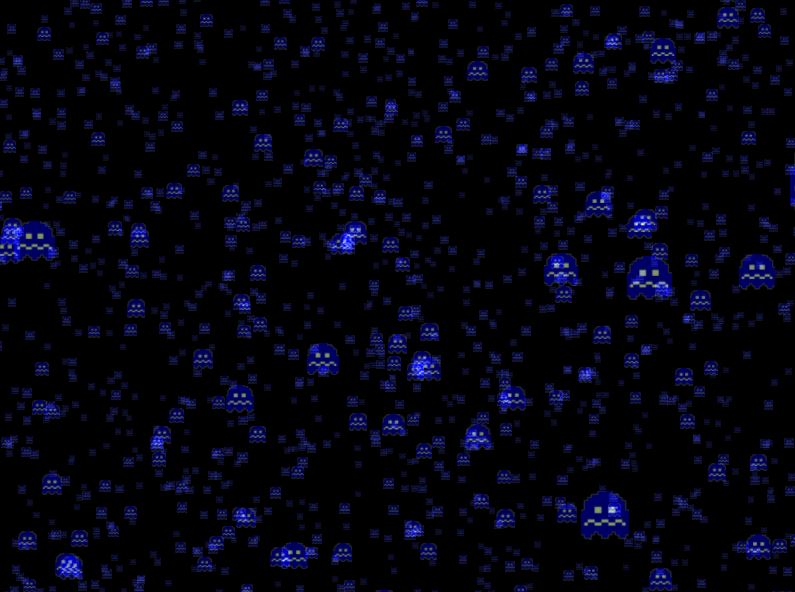
examples\src\02-three-intro\sprites.tsfollow the instructions in TODO blocks and render animated particles by the picture below
you can access the canvas in
http://localhost:1234/02_sprites.html